
SUBCUBUS is a media studio for Windows that runs on your PC. Free, no account. Your files stay on your computer.
Alpha version · updates itself, no installer pages
Any video, in the format you need.
FFmpeg inside. Add several files, pause the queue, close the app — when you start it again, it carries on where it stopped.
MP4 MKV WebM MOV AVI TS GIF MP3 FLAC WAV Opus and 18 more — 29 containers in all
Example. The file's own row becomes the progress bar.
- Codecs
- H.264, H.265, AV1, VP9, ProRes. Hardware encoding with NVENC, AMF and QSV.
- Quality under control
- Set a target quality — the result is scored with VMAF and SSIM.
- 34 ready presets
- For the web, social networks, devices and editing.
- Discs and processing
- Opens DVD and Blu-ray. Trimming, cropping, filters, frame-rate change.
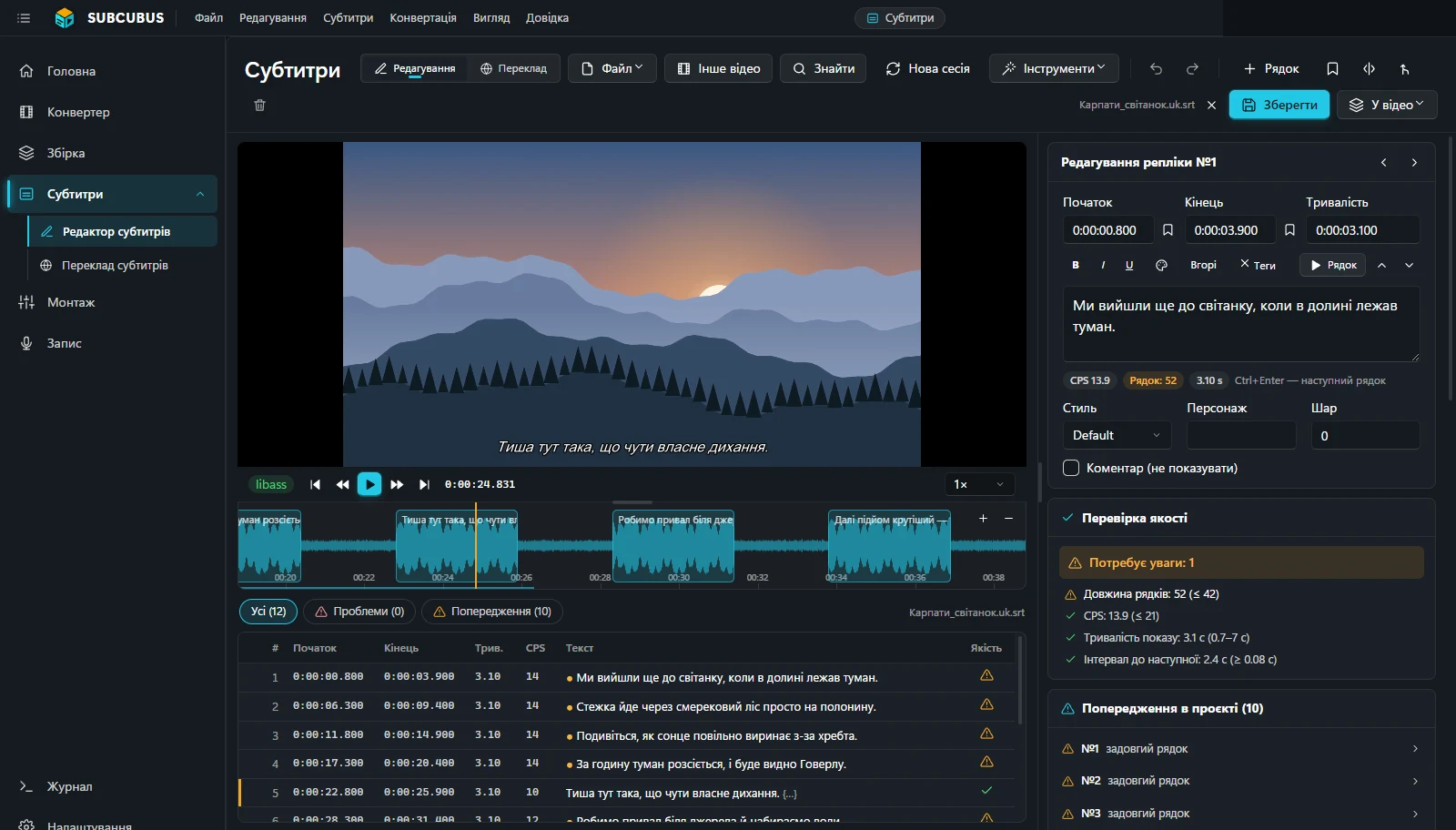
See subtitles exactly as they will be burned in.
The player draws ASS styles exactly as after burn-in (libass). Below it is the waveform: drag a line's edges to fit the timing.
11 formats. SRT, ASS, SSA, VTT and seven more; text encoding is detected automatically. ASS styles, bilingual subtitles, burned into the picture or as a separate track.
Speech to subtitles. Whisper recognises speech offline and sets the timing right away.
Sync. Automatically by the audio, by changing FPS, or by two points.
Checks. Reading speed (CPS), overlong lines, overlaps.
Graphic subtitles
- DVD and Blu-ray picture subtitles (PGS, VobSub) — into text with offline OCR, burned into the picture as they are, or saved as a separate track file.
- Simpler editing of ASS drawings. Drawings live in their own «Graphics» column with thumbnails, and each is shown on the frame in its real place and size — no hand-editing of code. Text checks and translation leave them alone.
- Shapes ↔ subtitles. In the editor a drawing becomes an overlay: colour, outline, rotation, perspective, skew, SVG export. And drawn overlays turn back into ASS subtitles the same way — in the same place.
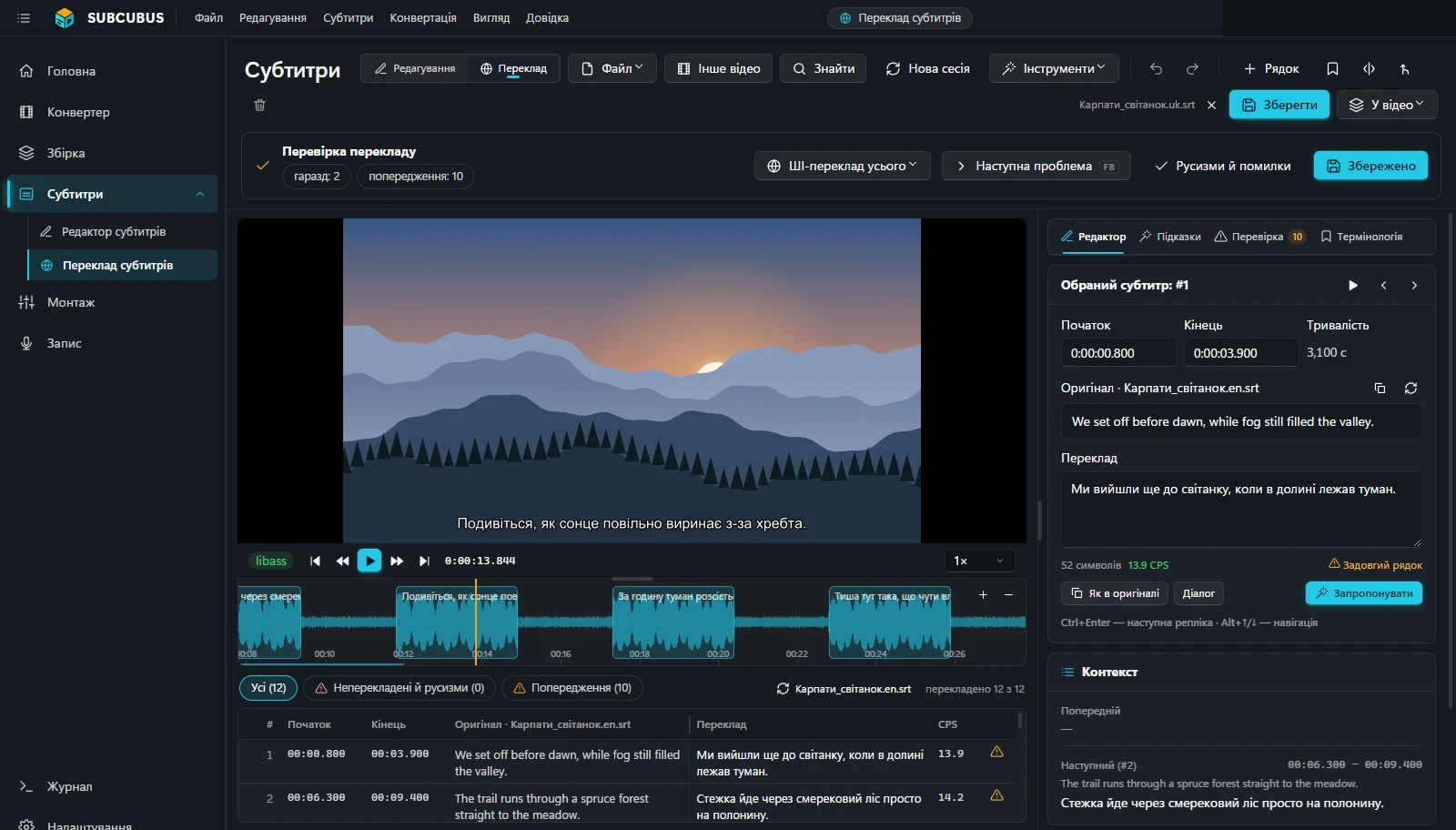
AI translates on your PC. Every line is checked.
The app finds errors and untranslated lines by itself and translates them again. Original and translation side by side.
We set off before dawn, while fog still filled the valley.
Ми вийшли ще до світанку, коли в долині лежав туман.
CheckedThe trail runs through a spruce forest straight to the meadow.
Стежка йде через смерековий ліс просто на полонину.
CheckedIn an hour the fog will lift and you’ll see Hoverla.
За годину туман розсіється, і буде видно Говерлу.
Not translated → fixedIt’s so quiet here you can hear your own breath.
Тиша тут така, що чути власне дихання.
Error fixed(wind in the spruces)
(вітер у смереках)
Italics keptExample check, English → Ukrainian. Lines from the «Carpathians, dawn» demo project.
- The model runs on your PC — on the graphics card via Vulkan or on the processor. Ollama, LM Studio and LibreTranslate can be connected too.
- Formatting is kept: italics, line breaks, positions, speaker labels.
- Glossary and context of neighbouring lines — names and terms are translated consistently.
- Recognises speakers by voice.
The take lands exactly in the line's timing.
The dubbing studio records the voice line by line: a countdown, and the take sits exactly between the line's start and end.
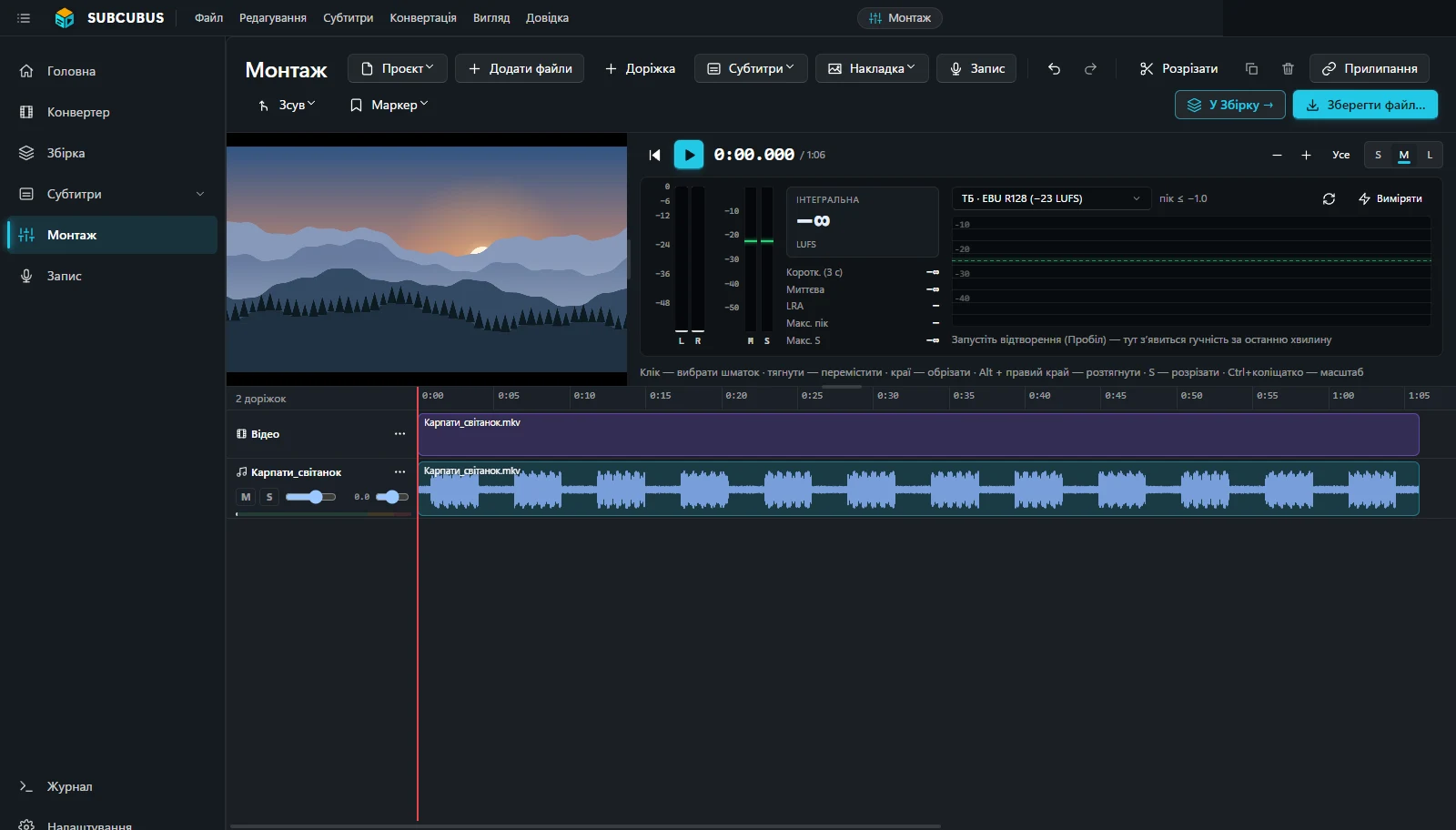
- Multitrack editing: video on top, as many audio tracks as you need.
- Cut and stretch without changing the pitch.
- Subtitles as their own track on the timeline.
- Loudness to EBU R128, noise reduction, REAPER sessions.
Your files go nowhere.
No account, no sign-in, no email. AI models are downloaded once, when needed (30 MB to ≈2.5 GB), and then work offline.
Stays on your PC
- Video, audio and subtitles — all files and projects.
- Recognition and translation — the models run locally.
- Texts, file names and paths — are never sent.
Download SUBCUBUS
Windows 10 or 11, 64-bit. Alpha version, free. Takes about 700 MB on disk.
If Windows says «Windows protected your PC»
The app is not code-signed yet, so SmartScreen shows a warning.
- Click
More info
. - Then
Run anyway
.
Updates
A new version downloads in the background and installs on the next start — with a small progress window, no installer pages.
A bug or an idea
The «Feedback» button in the app. The answer arrives right there, in SUBCUBUS.